
I sent a WhatsApp message that said "blink the LED 5 times."
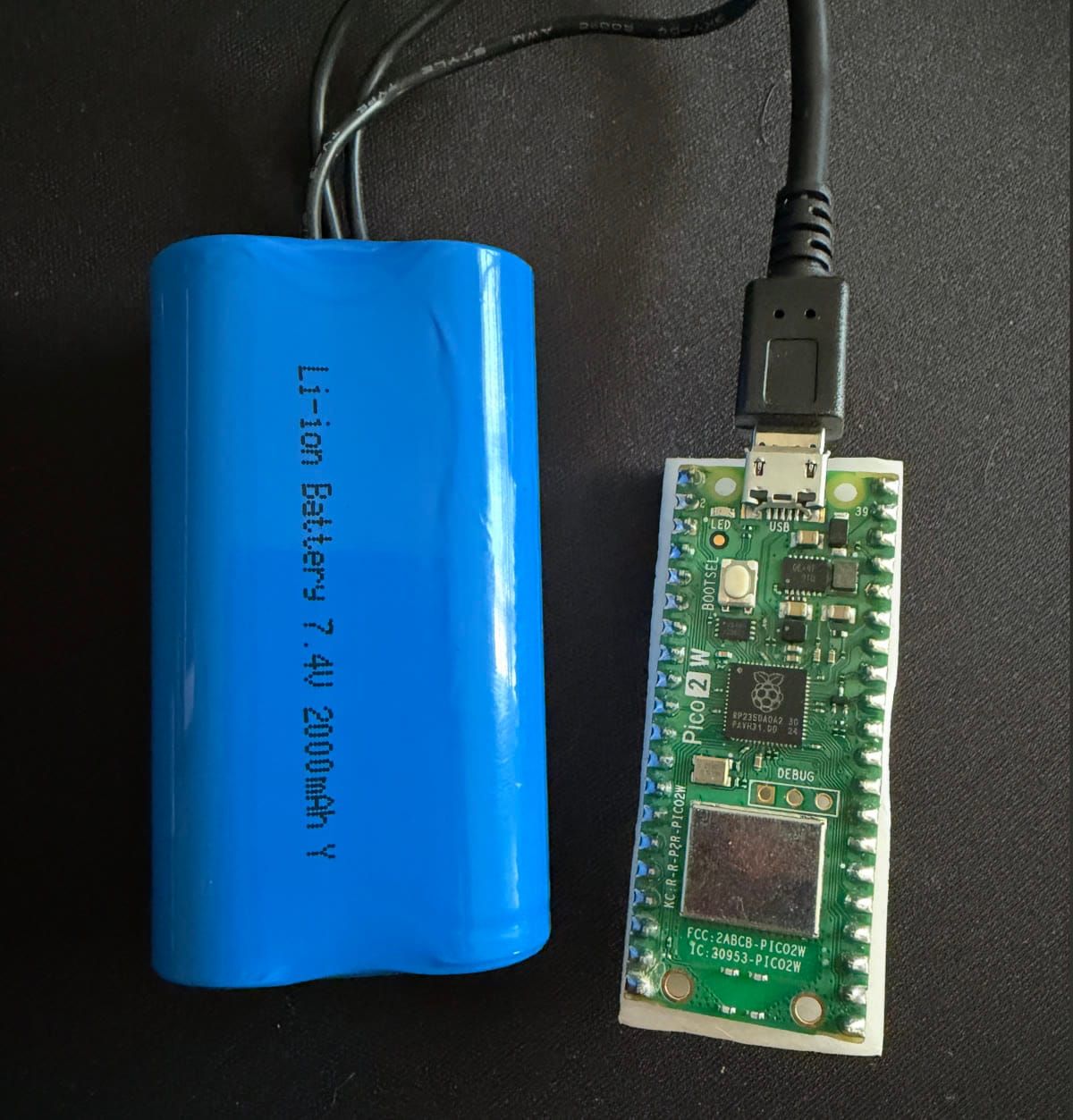
Three seconds later, a $7 Raspberry Pi Pico sitting on my desk blinked five times.
No dashboard. No configuration file. No deployment. The device told the agent what it could do, and the agent just did it.
Today we're shipping Lua Devices — a way to connect any physical hardware to your Lua AI agent. A Raspberry Pi. A warehouse barcode scanner. A factory sensor. Your laptop. If it runs code and has a network connection, it can become a tool your agent knows how to use.
The key idea: the device describes itself. When it connects, it tells the agent what commands it supports. The agent discovers them automatically. No server-side schema. No redeployment. No configuration drift.
Why this matters
AI agents are powerful, but they're stuck in the cloud. They can search the web, call APIs, query databases — but they can't flip a switch, read a sensor, or print a receipt. The physical world is off-limits.
The usual workaround is ugly: build a REST endpoint for every device action, wire up a webhook, manage auth, handle reconnection, deal with the device going offline mid-command. One device, one integration, forever coupled. Adding a new command means touching both the device firmware and the server. Multiply that by ten devices and you've built a maintenance nightmare.
Devices solves this by inverting the model. Instead of the server defining what a device can do, the device tells the server at connect time. Add a new command on the device, reboot it, and the agent can use it immediately. Zero server changes.
How it works
01 Device connects
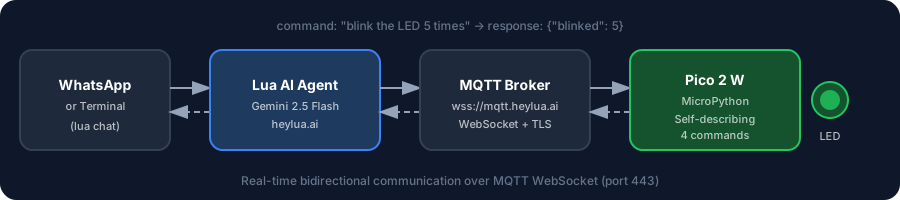
The device connects to the Lua platform via MQTT over WebSocket. It publishes a manifest — a JSON array of its commands, each with a name, description, and optional input schema. This is all it takes for the agent to know what the device can do.
02 Agent discovers tools
The platform registers the device's commands as tools the agent can call. The agent's LLM sees descriptions like "Turn the onboard LED on" or "Read the current temperature" and knows when to invoke them — just like any other tool in its toolkit.
03 Commands execute in real time
When a user sends a message like "blink the LED 3 times," the agent calls the blink tool with the right parameters. The command is routed to the device over MQTT, executed, and the result flows back to the agent — all in under a second.
What this looks like in practice
Here's the setup I built on my desk: a Raspberry Pi Pico 2 W ($7), running MicroPython, connected to my WiFi, talking to a Lua agent via MQTT over WebSocket.
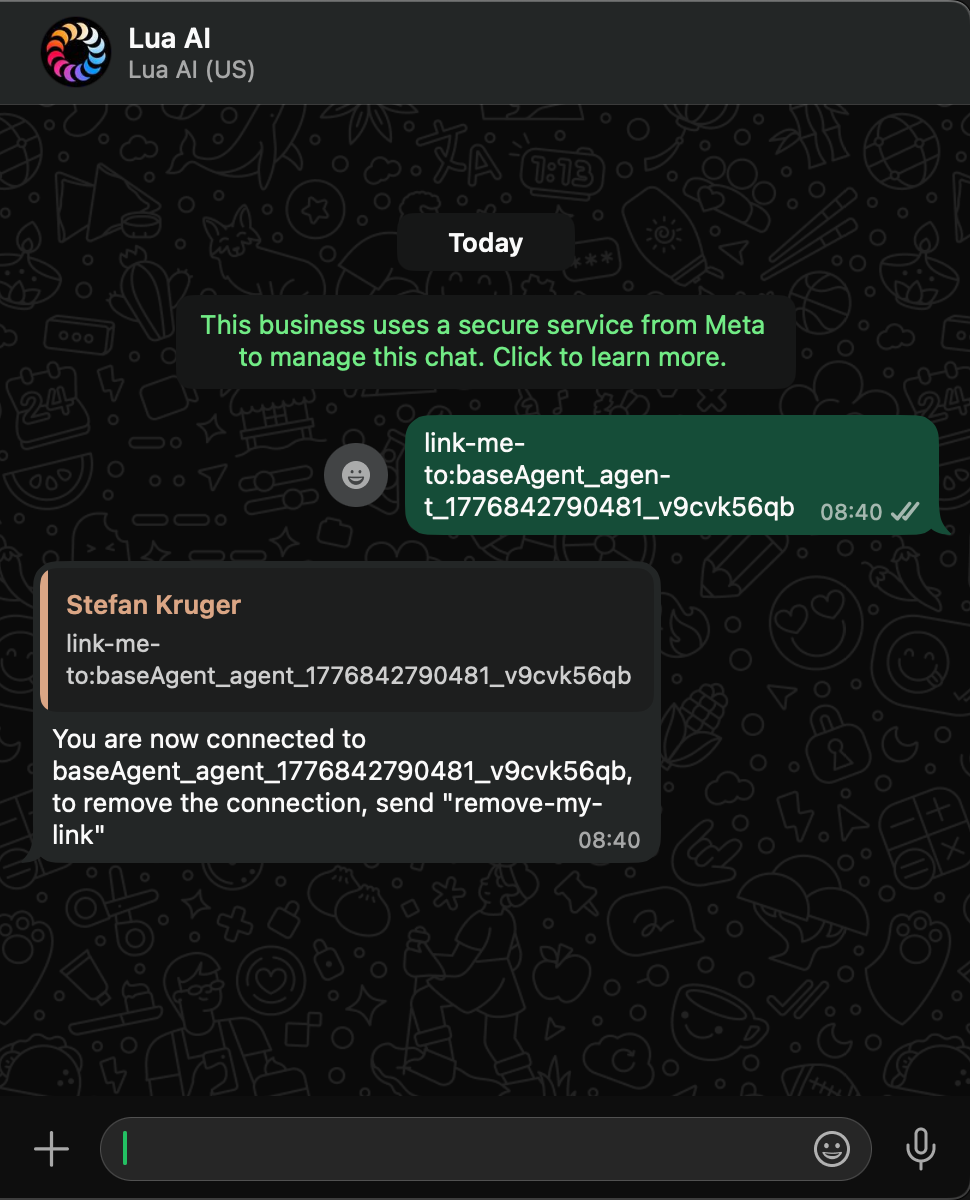
I linked my WhatsApp to the agent with a single message. From there, I just talk to it naturally:
- "Turn on the LED" → LED turns on
- "Blink 5 times with a 100ms delay" → LED blinks exactly as described
- "What's the device status?" → LED state, free memory, CPU frequency, uptime
The agent doesn't know about LEDs in its persona. There's no hardcoded command list. The Pico told the agent: "I have four commands: led_on, led_off, blink, and status. Here are their descriptions and input schemas." The agent figured out the rest.
The entire project is open source. Build it yourself in 30 minutes →
Self-describing devices
This is the architectural decision that makes Devices fundamentally different from traditional IoT integrations.
When a device connects, the first thing it does is publish a JSON manifest listing every command it supports — with descriptions and typed input schemas. The platform stores these and presents them to the agent as callable tools. No server-side device definitions. No compile-deploy cycle.
Want to add a new command? Write the handler on the device, reboot it, and the agent can use it immediately. Remove a command? Same thing — the next time the device connects, the agent's toolkit updates automatically.
We built a MicroPython client library that handles WiFi, MQTT over WebSocket, command manifests, heartbeats, reconnection with exponential backoff, and automatic device reset after repeated failures. On the device side, you write your command handlers and call device.run(). The library does the rest.
Three ways to connect
Node.js
npm install @lua-ai-global/device-client — connect any Node.js application as a device in about 10 lines of code. Supports Socket.IO and MQTT transports.
Python
pip install lua-device-client — async MQTT client for CPython. Same API surface as Node.js. Works on any machine running Python 3.8+.
MicroPython
Single-file library for Raspberry Pi Pico W, ESP32, and other MicroPython boards. Install via mip, write your handlers, run. No pip, no virtualenvs — just copy a file.
Build your own
The MQTT protocol is fully documented. Any language that speaks MQTT can be a Lua device — Go, Rust, C#, Swift, whatever you're running on your hardware.
The bigger picture
We're not the first to believe AI should reach into the physical world. The momentum is already here.
John Deere's See & Spray uses AI vision on 120-foot booms to spray individual weeds — covering 5 million acres and saving farmers 31 million gallons of herbicide. Amazon's Covariant robots pick any warehouse SKU on day one. Home Assistant's open-source community runs local LLMs to control lights, locks, and thermostats without data ever leaving the network. Figure AI's humanoid robots understand spoken instructions on BMW's factory floor.
These are billion-dollar companies and open-source communities converging on the same thesis: AI agents that can reach into the physical world.
Lua Devices is the infrastructure that makes this accessible to every developer — not just those with robotics PhDs or factory-scale budgets. Self-describing, zero-config, and it works the same whether you're connecting a $7 Pico or a fleet of warehouse scanners.
Get started
5 minutes — software only. Install the Node.js or Python device client and follow the quickstart.
30 minutes — build the Pico LED project. Flash a Pico 2 W, install the library, talk to your LED from the terminal or WhatsApp. GitHub repo →
Full documentation. docs.heylua.ai/devices