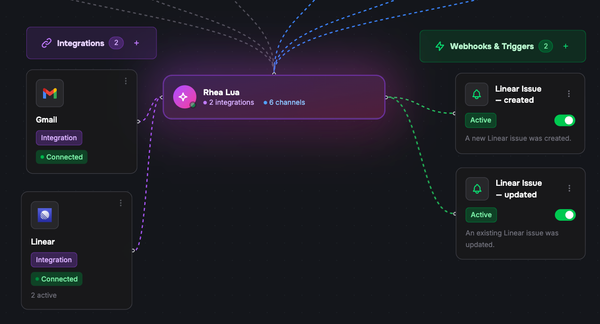


Today we're shipping the Lua plugin for Claude Code — the fastest way to go from "I have an idea for an agent" to a deployed Lua AI agent without ever leaving your terminal.
If you've been building on Lua already, you know the loop: scaffold a skill, wire it up, run it locally, push it, debug, repeat. The plugin collapses that loop into conversation. Describe what you want, let Claude do the busywork, ship it.
What's in the box
The plugin installs a complete agent-building toolchain into Claude Code:
- 14 slash commands covering the full project lifecycle — from
/lua-initand/lua-newthrough/lua-test,/lua-chat,/lua-logs, and/lua-deploy. - 5 specialised subagents — including
/lua-architectfor turning a goal into an architecture, and/lua-qafor systematic quality checks. - 9 safety hooks that intercept risky operations before they touch production.
- An MCP server exposing 5 read-only tools so Claude can introspect your Lua project and platform state directly.
Why we built this
Agent development has too many moving parts: project layout, skill manifests, environment config, deploy gates, logs in three places. Most of it isn't interesting work — it's overhead between you and the thing you're actually trying to build.
We wanted to remove the overhead. With the plugin installed, "build me an agent that books appointments and follows up over WhatsApp" becomes a conversation. Claude plans the architecture, scaffolds skills, runs tests, surfaces failures with root-cause analysis, and walks you through deployment with a five-gate safety sequence so you don't push something half-finished into production.
Install it
From inside Claude Code:
/plugin marketplace add lua-ai-global/claude-code-lua-plugin
/plugin install lua-agent-builder@claude-code-lua-plugin
/reload-plugins
Then /lua-auth to sign in (email + OTP, or paste an API key from admin.heylua.ai) and /lua-doctor to verify everything is wired up correctly.
Prerequisites: Node.js 18 or newer, lua-cli 3.12.3 or newer, and a Lua account.
Where to go from here
- Plugin source and full docs on GitHub: lua-ai-global/claude-code-lua-plugin
- Marketing page and walkthrough: heylua.ai/claude-code
- The full User Guide covers slash commands, hooks, MCP tools, the safety model, and troubleshooting.
This is the first release — we're shipping fast, so if you hit something rough or want a command that isn't there yet, open an issue or ping us. We're listening.
Up next: Cursor
Claude Code is the first editor we've shipped a first-class Lua plugin for, but it won't be the last. Cursor is next — same toolchain, same conversational workflow, native to where you already write code. Stay tuned.
— Stefan