
Today every Lua agent can plug into 250+ third-party services — Linear, Gmail, HubSpot, Stripe, Notion, GitHub, Slack, Zendesk, and the long tail of CRM, accounting, calendar, ticketing, and HR tools your team already uses.
Click Connect, approve the OAuth popup, you're done. Your agent now has access to your data and can act on it — answering customer tickets, updating deals, summarizing meetings, scheduling follow-ups, whatever its job is.
No code. No tool definitions. No "first, install our SDK." Just connect.
What it looks like
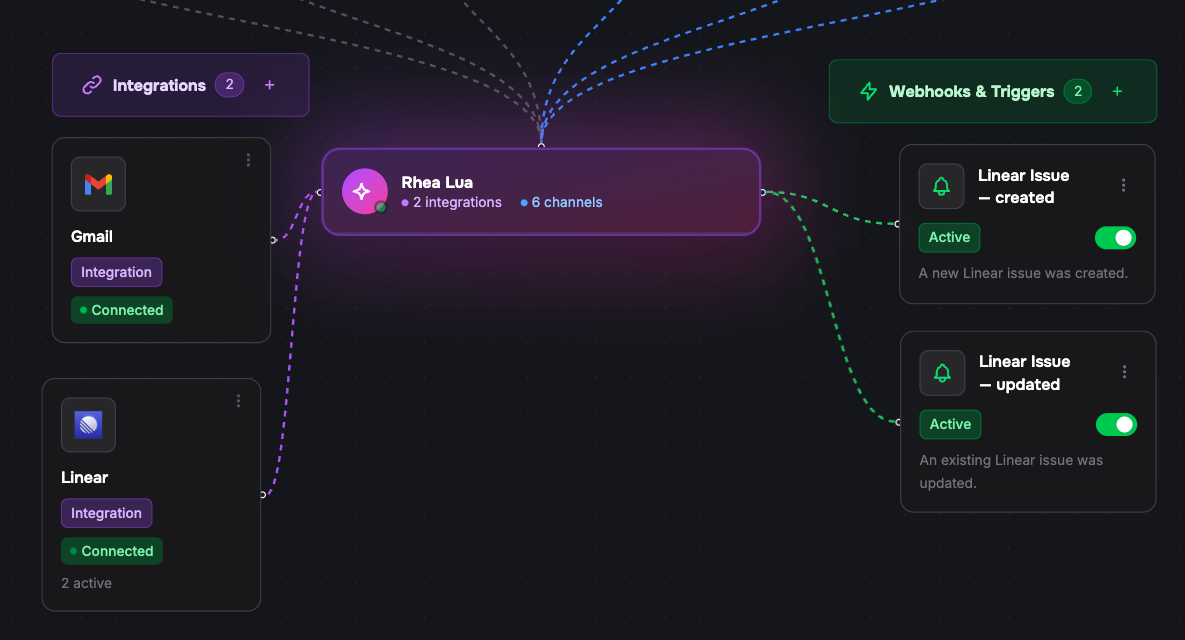
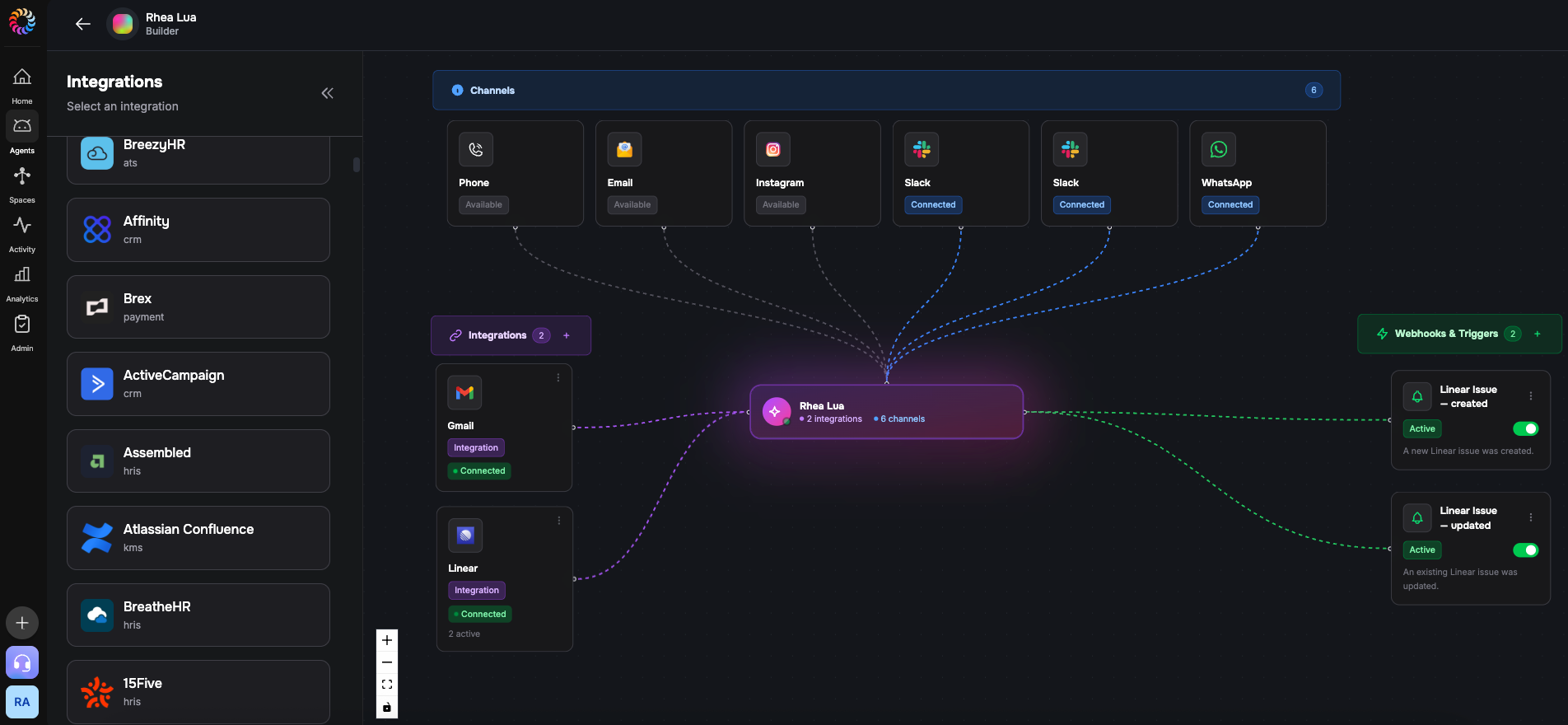
Open any agent in the Lua admin dashboard and click into the visual builder. You'll see a curated catalog grouped into Power Packs — Productivity, Communication, Customer, Developer — and a search across the full 250+ list when you need something specific.
Pick the integration. The OAuth popup opens. Approve the scopes. The integration is live, and your agent immediately gains the ability to read from and write to that service.
Developers can do the same thing from the terminal — same flow, same outcome:
lua integrations connect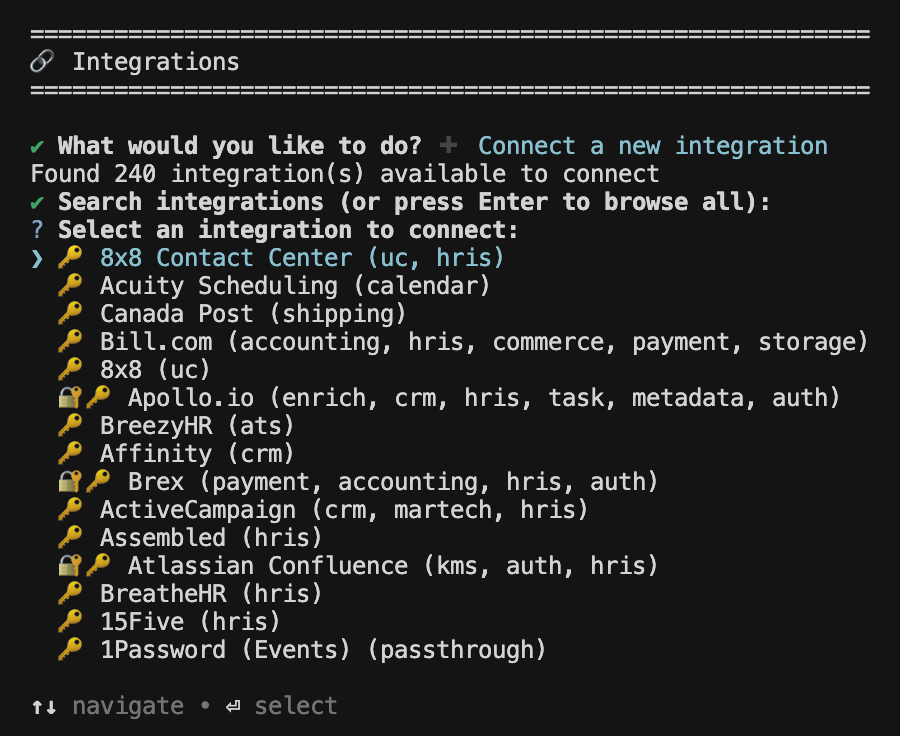
Every step has a flag for non-interactive use, so the same flow runs in CI.
Triggers — your agent wakes up when something happens
Connecting a service gives your agent the ability to act on demand. Triggers are how it acts automatically.
When you connect Linear, you can opt into events like "a new task was created," "a status changed," or "someone added a comment." Each one wakes the agent the moment it happens. Same idea for HubSpot deal updates, Stripe payment failures, Zendesk ticket replies, GitHub PRs.
You don't poll. You don't write a webhook handler. The agent runs when something real happens in your business.
Triggers can be paused and resumed anytime without disconnecting the integration — useful when you're testing, deploying a change, or just don't want a noisy CRM pinging the agent at 3am.
Under the hood — every integration becomes a toolset
Here's the part that makes it work without code: when you connect, say, Linear, Lua automatically generates a complete set of tools for your agent — create issue, update status, assign user, query projects, comment, every action Linear's API exposes. Your agent picks the right tool for the job, the same way it picks any other tool.
Technically, each connection becomes an MCP (Model Context Protocol) server dedicated to that integration. If you've worked with MCP before, that one sentence tells you everything you need to know. If you haven't, it doesn't matter — the upshot is your agent gets the right toolset for every service, automatically, with zero work on your end.
The catalog
The full catalog spans 24 categories: CRM, accounting, calendar, commerce, payments, ticketing, messaging, marketing, ATS, HRIS, knowledge management, storage, shipping, task management, dev repos, GenAI, and more. We work with Unified.to as the integration backbone, which means coverage of essentially every major B2B SaaS.
Eight integrations are turnkey OAuth right now — click and you're connected: Linear, Gmail, Google Calendar, Google Drive, Google Docs, Discord, HubSpot, plus a generic Google auth flow.
For the other 245+, we set up the OAuth credentials on request — usually within a day. Ping the Lua support agent, drop into our Discord, or email us. We'll have it live for you fast, and the catalog grows as customers ask for more.
The most-connected integrations on Lua today: Linear, Gmail, Google Calendar, Google Drive, Discord, Notion, GitHub, OpenAI, ActiveCampaign, Stripe. Notion's worth calling out — that one isn't on the OAuth-ready list yet, customers are connecting it via API token, which proves the on-request path actually works in practice.
A few patterns we've seen
- Linear triage agent — connect Linear, switch on the "task created" trigger, and the agent drafts a triage comment plus assigns labels the moment a ticket lands.
- Stripe ops agent — listen for failed payments, agent runs the dunning flow, optionally pings the customer over WhatsApp through Lua's voice and messaging stack.
- HubSpot pipeline assistant — listen for deal-stage changes, agent enriches the deal with context and posts a summary into Slack so the AE walks in prepared.
- GitHub PR reviewer — listen for PR opened, agent runs a first-pass review and leaves comments before the human team gets to it.
- Customer support agent — connect Zendesk and Gmail, agent reads inbound tickets, drafts replies, escalates the hard ones.
None of those required writing tools. The integrations brought their own.
Get started
Open any agent in the Lua admin dashboard and click into the visual builder.
Or, if you live in the terminal:
lua integrations connectDon't see the integration you need on the OAuth-ready list? Tell us — support agent, Discord, email — and we'll wire up the credentials. The catalog grows on request.
Connect once. Your agent gets to work.